

In Part 1 we built an array by passing a list to np.array. That is fine for a few values you already have, but most real arrays are generated: a range of years, a grid of a thousand zeros to fill in later, evenly spaced points for a chart, or random test data. This second part of our NumPy Fundamentals series covers the functions that build arrays for you, and the dtype choices that decide how each value is stored.
From nested lists to 2D arrays
A list of lists becomes a two-dimensional array, which you can think of as a table with rows and columns:
import numpy as np

print(np.array([[1, 2, 3], [4, 5, 6]]))
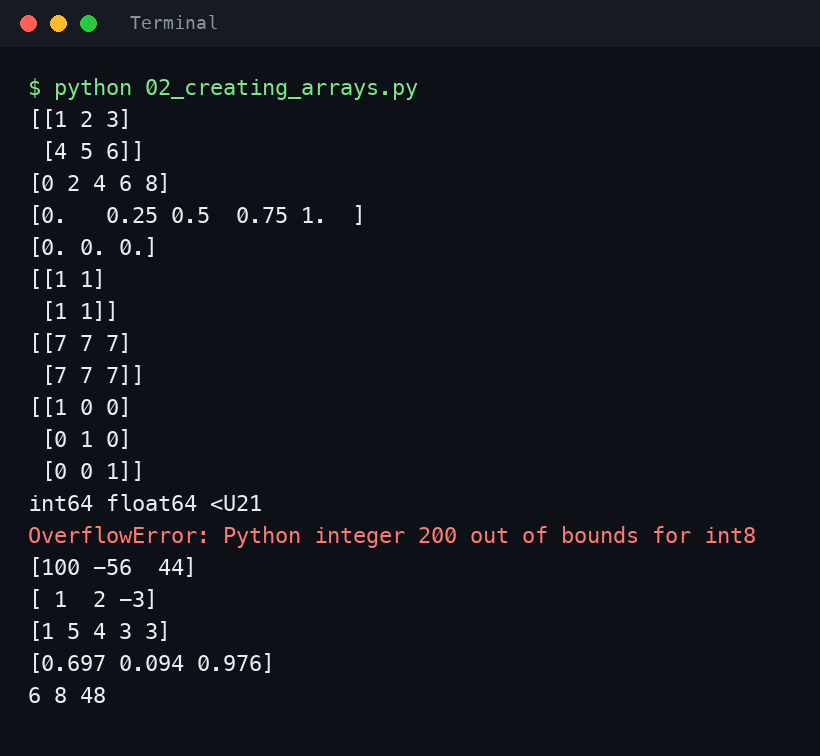
[[1 2 3]
 [4 5 6]]
Every inner list must be the same length. Rows of different lengths do not make a valid table, and NumPy raises an error instead of guessing.
Ranges: arange and linspace
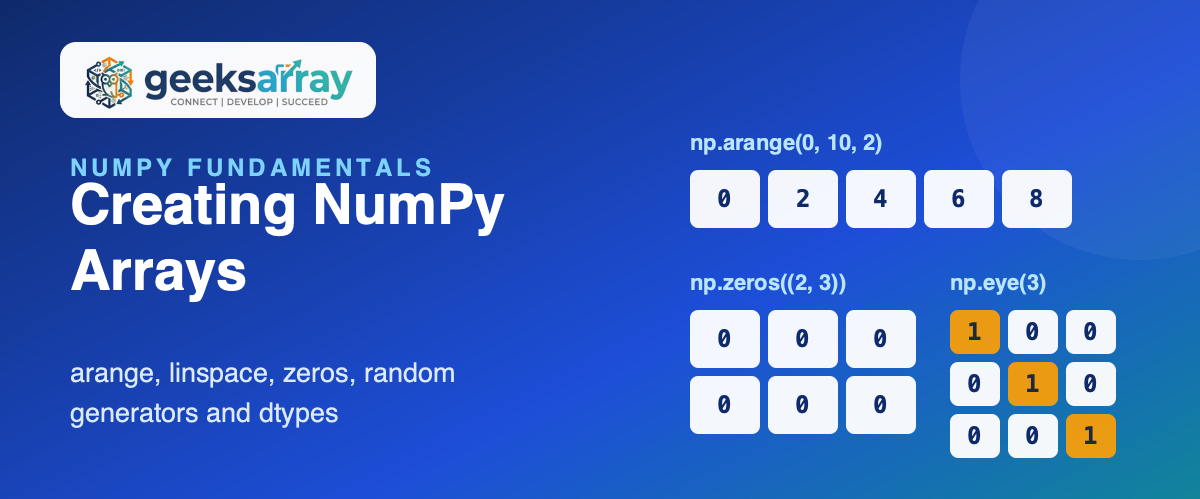
np.arange is NumPy's version of the built-in range you used in Python loops. It takes a start, a stop (not included) and a step, and returns an array:
print(np.arange(0, 10, 2))
[0 2 4 6 8]
When you care about how many points you get rather than the step size, use np.linspace. It returns evenly spaced values between two ends, and both ends are included:
print(np.linspace(0, 1, 5))
[0. 0.25 0.5 0.75 1. ]
A rule of thumb: use arange for whole-number steps (years, IDs, positions) and linspace for fractions, where floating-point step sizes can make arange end one value early or late.
Arrays filled with a value
Often you know the size of the result before you know its contents. These functions create an array of the right shape, ready to be filled:
print(np.zeros(3))
print(np.ones((2, 2), dtype=int))
print(np.full((2, 3), 7))
print(np.eye(3, dtype=int))
[0. 0. 0.]
[[1 1]
 [1 1]]
[[7 7 7]
 [7 7 7]]
[[1 0 0]
 [0 1 0]
 [0 0 1]]
The shape is passed as a tuple: (2, 3) means 2 rows and 3 columns. np.eye makes an identity matrix (ones on the diagonal), which we will use again in Part 7. By default zeros and ones produce floats; pass dtype=int if you want whole numbers.
dtypes: how values are stored
Every array has exactly one dtype, and NumPy picks it from the data unless you say otherwise:
ints = np.array([1, 2, 3])
floats = np.array([1, 2, 3.5])
mixed = np.array([1, "2", 3])
print(ints.dtype, floats.dtype, mixed.dtype)
int64 float64 <U21
One float is enough to make the whole array float64, and one string turns everything into text (<U21 means Unicode strings of up to 21 characters). That second case is almost always a mistake: arithmetic on a string array fails. If your data arrives as text, for example from a file, convert it to numbers first. We do exactly that when reading a CSV file in the project.
These are the dtypes you will meet most:
| dtype | Holds | Typical use |
|---|---|---|
int64 |
whole numbers | counts, IDs, years |
float64 |
decimals | money, measurements, averages |
bool |
True / False |
masks and filters |
int8, float32 |
smaller numbers | saving memory on huge arrays |
Small types can overflow
Smaller dtypes save memory, but they have limits. An int8 holds only -128 to 127:
try:
    np.array([100, 200, 300], dtype=np.int8)
except OverflowError as e:
    print("OverflowError:", e)
print(np.array([100, 200, 300]).astype(np.int8))
OverflowError: Python integer 200 out of bounds for int8
[100 -56  44]
NumPy 2 refuses to create the array directly, which is helpful. But converting an existing array with astype silently wraps the values around: 200 becomes -56. Only shrink dtypes when you are sure the values fit.
Converting with astype
astype returns a new array of another type. Converting floats to integers truncates towards zero rather than rounding:
f = np.array([1.7, 2.2, -3.9])
print(f.astype(int))
[ 1 2 -3]
If you want rounding, call np.round first and then astype(int).
Random numbers for test data
Random arrays are perfect for experimenting and testing. The modern way is to create a random generator and ask it for values. Passing a seed makes the results repeatable, so you get the same "random" numbers every run:
rng = np.random.default_rng(seed=42)
print(rng.integers(1, 7, size=5))     # five dice rolls
print(rng.random(3).round(3))         # three floats in [0, 1)
[1 5 4 3 3]
[0.697 0.094 0.976]
You may see older code using np.random.randint or np.random.seed. Those still work, but default_rng is what NumPy recommends today. We go deeper into random numbers in Part 7.
How much memory an array uses
Because every element has the same size, an array's memory use is easy to work out:
a = np.arange(6, dtype=np.int64)
print(a.size, a.itemsize, a.nbytes)
6 8 48
Six elements of 8 bytes each is 48 bytes. A Python list of the same numbers uses several times more, because each element is a full Python object with its own overhead.
Arrays shaped like other arrays, and from files
Two more creation patterns come up all the time. The _like functions make a new array with the same shape (and, by default, the same dtype) as an existing one, which is handy when you need a blank result array to fill in:
a = np.array([[1.5, 2.0], [3.0, 4.5]])
print(np.zeros_like(a))
print(np.ones_like(a, dtype=int))
[[0. 0.]
 [0. 0.]]
[[1 1]
 [1 1]]
And most real arrays come from files rather than code. For a clean file of numbers, np.loadtxt reads it straight into an array. Here we write three temperature readings to a file with np.savetxt and read them back:
np.savetxt("readings.txt", np.array([[1, 20.5], [2, 21.0], [3, 19.8]]), fmt="%g")
r = np.loadtxt("readings.txt")
print(r)
print(r[:, 1].mean().round(2))
[[ 1.  20.5]
 [ 2.  21. ]
 [ 3.  19.8]]
20.43
The file is just three lines of space-separated numbers, so it opens in any text editor. r[:, 1] picks the second column, the indexing we cover next, and .mean() averages it. loadtxt expects every value to be present; when a file has gaps or a text header, use np.genfromtxt instead, as we do in the project. Both build on the file-handling ideas from the files and exceptions post.
Practice exercises
- Create an array of the years 2020 to 2026, inclusive.
- Create 11 evenly spaced values from 0 to 100, both ends included.
- Create a 3×3 array filled with -1.
- Generate a repeatable 2×4 array of random whole numbers from 0 to 100, using seed 5.
print(np.arange(2020, 2027))
print(np.linspace(0, 100, 11))
print(np.full((3, 3), -1))
print(np.random.default_rng(5).integers(0, 101, size=(2, 4)))
[2020 2021 2022 2023 2024 2025 2026]
[  0.  10.  20.  30.  40.  50.  60.  70.  80.  90. 100.]
[[-1 -1 -1]
 [-1 -1 -1]
 [-1 -1 -1]]
[[67 81  2 81]
 [47 52 63 28]]
Note the 2027 in the first answer (the stop value is excluded) and the 101 in the last (integers excludes its upper bound too). Because of the seed, you will get exactly the same random numbers as shown.
Common mistakes
- Passing the shape as separate arguments. It is
np.zeros((2, 3)), with a tuple, notnp.zeros(2, 3). - Expecting
arangeto include the stop value. Likerange, it stops before it.linspaceincludes both ends. - Accidentally creating a string array from mixed data, then wondering why
+ormean()fails. - Assuming
astype(int)rounds. It truncates: 1.7 becomes 1.
Wrapping up
You can now build arrays from lists, ranges, constant values and random generators, and you understand how dtype decides what each element can hold. Next, in Indexing and Slicing NumPy Arrays, we learn to pick out exactly the values we want, including the powerful trick of filtering an array with a condition.
Comments (0)
No comments yet — be the first to share your thoughts.